Bible chapters and daily reflections
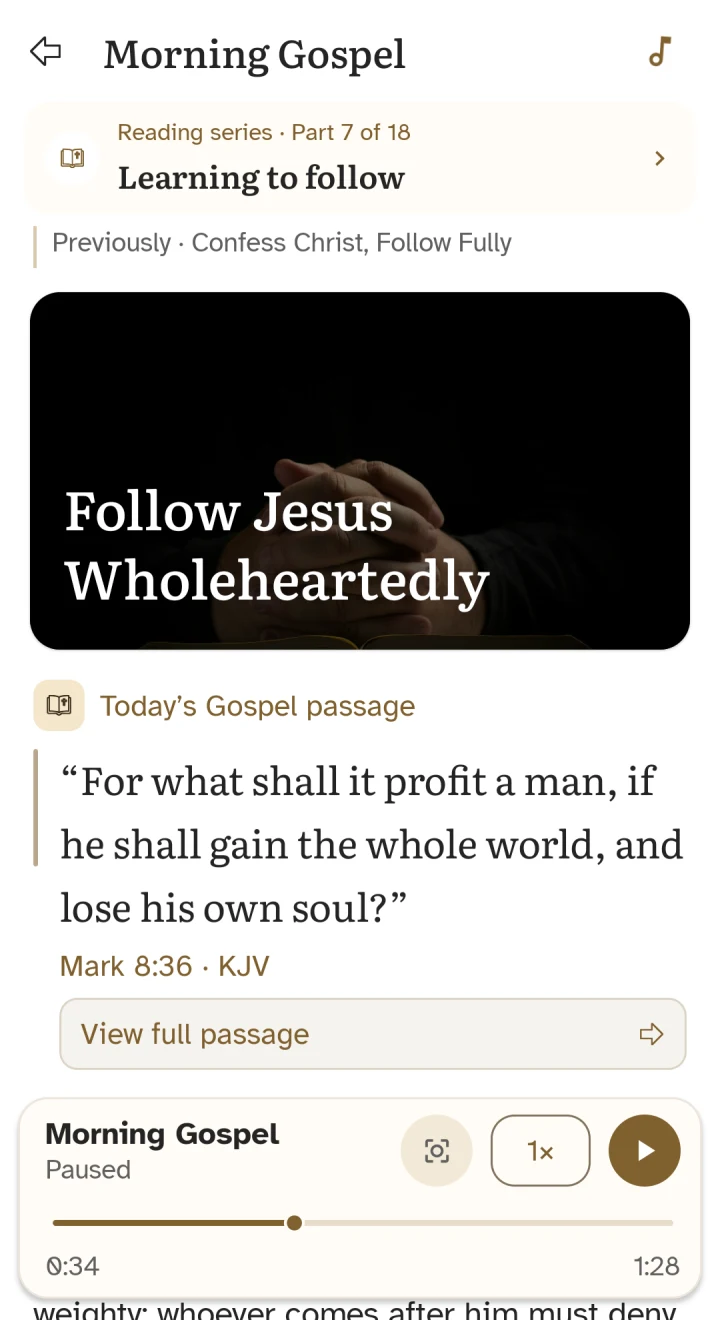
Start from a Bible chapter or a daily Gospel reflection in the app. Where audio is supported, the reading provides a playback control. This lets you move between reading the text and hearing it aloud.
Audio availability depends on the passage, language, edition, and content currently provided in the app. The presence of offline Bible text does not guarantee that every chapter or reflection has a recording.
Listen at a pace that suits you
Use play and pause to make space for a phrase or return to the text. Supported players offer adjustable playback speed and a progress control. Text highlighting is available for supported recordings, helping you follow the reading on screen.
You can slow down for reflection or choose a comfortable pace for a familiar passage. The controls shown on the reading are the guide to the audio features available for that content.
Prepare for listening away from Wi-Fi
Audio may need an internet connection to load when it is not already available on your device. Available recordings and cached files depend on the content and app version, so do not assume that a whole Bible audio library has been downloaded.
Before travelling, open and test the specific audio you want to hear. If playback cannot load, reconnect and retry. You can still read prepared offline Bible text independently of audio availability.
How to get started
- Open a Bible chapter or daily Gospel reflection in Holy Bible.
- Look for the audio playback control on supported content.
- Press play, then adjust the speed or pause when you want to reflect.
- Check your chosen recording before relying on playback without a connection.
Your questions, answered
Does every passage have audio?
No. Playback is available for supported passages and recordings. Availability can vary by language, Bible edition, content, and app version.
Can I change the playback speed?
Yes, supported audio players let you adjust the speed. Use the controls on the reading to choose a comfortable pace.
Is Bible audio the same as offline Bible reading?
No. Bible text can be prepared for offline reading, while audio may require a connection to load. Test the specific recording you need before going offline.